Choose the Perfect Hearing Aid for your needs
Feature Highlights
Model: RSH082
World's first OTC hearing aid with an easy-to-use remote control.


Not an amplifier, true FDA Class-1 Hearing Aids. Unlike personal sound amplifiers, RCA Hearing Aids provide a fine-tuned listening experience in any environment.
Best in Class Customer Service including Step-by-step Set Up and tutorial videos.
Our products are Ready To Use out of the box - no app or phone required.
Feature Highlights
Personal Preference
Style
Value
Best Value
RSH053BG
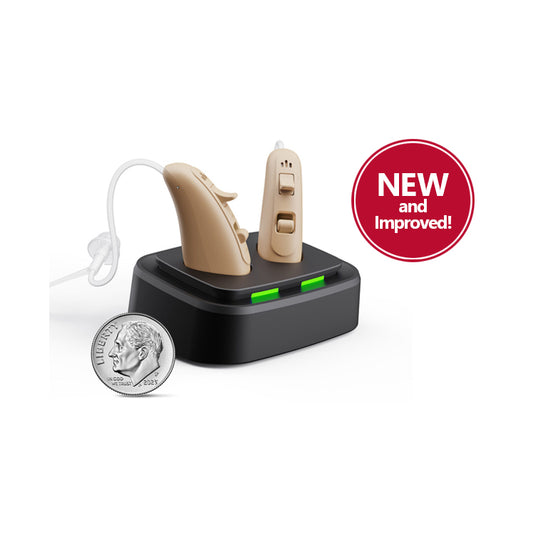
The RCA Behind-the-Ear Hearing Aids with Table-Top Charging Stand
$399.99
$299.99
MOST POPULAR
RSH30BG
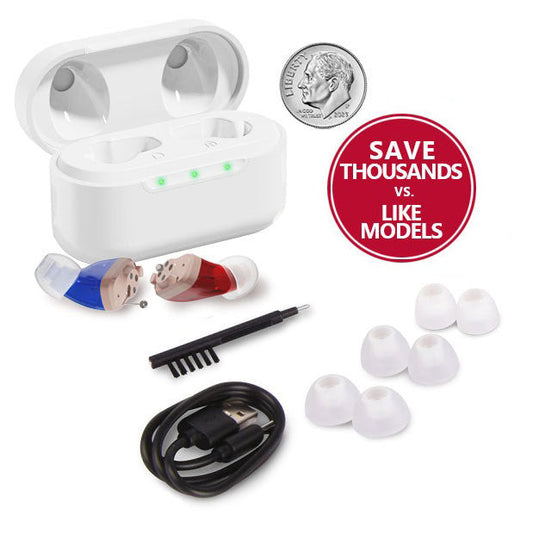
The RCA Hearing Aid In-Ear Canal Design w/ Charging Case
$449.99
$349.99
MICRO DESIGN
RSH062BG
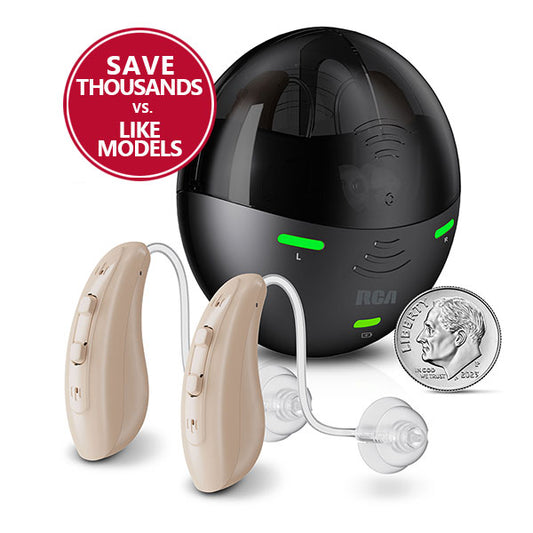
The RCA Hearing Aid Behind-the-Ear Micro Design w/ Charging Case
$499.99
$399.99
BEST OVERALL
RSH082
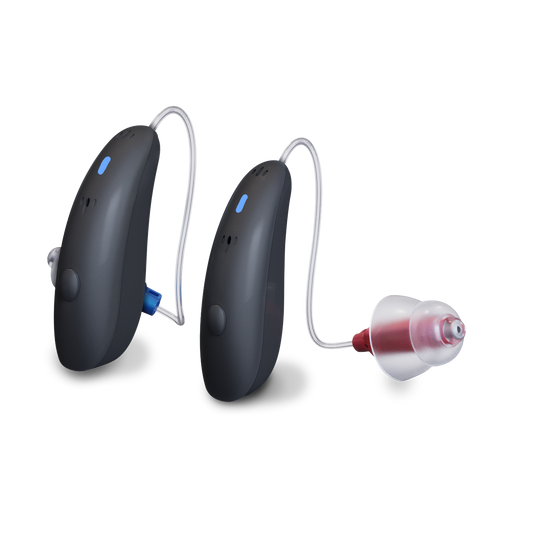
The RCA Hearing Aid Behind-the-Ear Micro Design with Charging Case & Remote
$799.99
$699.99
RCA OTC Behind-the-Ear Hearing Aids are the perfect solution for people with mild to moderate hearing loss. These advanced digital hearing aids offer a straightforward approach to better hearing and in addition this model features a unique keychain remote to control environment settings and volume easily and discreetly. They're ready to use in mere seconds, putting control back in your hands for an enhanced hearing experience. RCA lets you finally hear what you've been missing!

Our advanced hearing aids provide crystal-clear sound and customizable settings, allowing you to experience the full richness of life’s sounds.
With our cutting-edge technology, you’ll never miss a moment.

Hear what our customers have to say about our products.

"I can finally hear clearly again. The difference is amazing. These hearing aids have changed my life. I can now enjoy conversations and music."
Millie Landon
Topeka - KS

"I can wear these hearing aids all day without any discomfort. They fit perfectly. Also, the sound quality is exceptional. It’s like hearing naturally again."
William Tarkes
Austin - TX

"I can hear things that I had never heard before. I didn't realize I was missing so much! This is easy to put on. You take your glasses off, put them on, and you put [your glasses] right back."
Don’t miss the sounds of life. Discover if you need hearing
aids today with our free hearing test and know your hearing status in just 3 minutes.

Hearing aids work by amplifying sounds and delivering them to the ear. They consist of a microphone, amplifier and speaker.
Yes, RCA is FDA Registered to sell OTC hearing aids.
RCA OTC Hearing Aids come with multiple means of support, from online videos and tutorials to extensive documentation that comes with your product. Full customer service support available at RCAHearingAidSupport.com
If at any time within the first 45 days of use you’re not happy with the RCA OTC hearing aids, you can return them for a full refund. Your product must be returned within 45 days of the purchase date as indicated on your receipt. For our full return policy or to initiate a return, please visit rcahearingaidsupport.com.
RCA OTC hearing aids carry a 6-month warranty. If your hearing aid is defective in any way during the warranty period, go to RCAHearingAidSupport.com to start the warranty return process. We'll replace your hearing aid with a new one once we receive your old one.
Talk to Sales